A CRM for small service firms: accounting practices, agencies and consultancies.
It reads the email and calendar you already use, keeps every conversation with the right client, and shows you each morning what needs you.
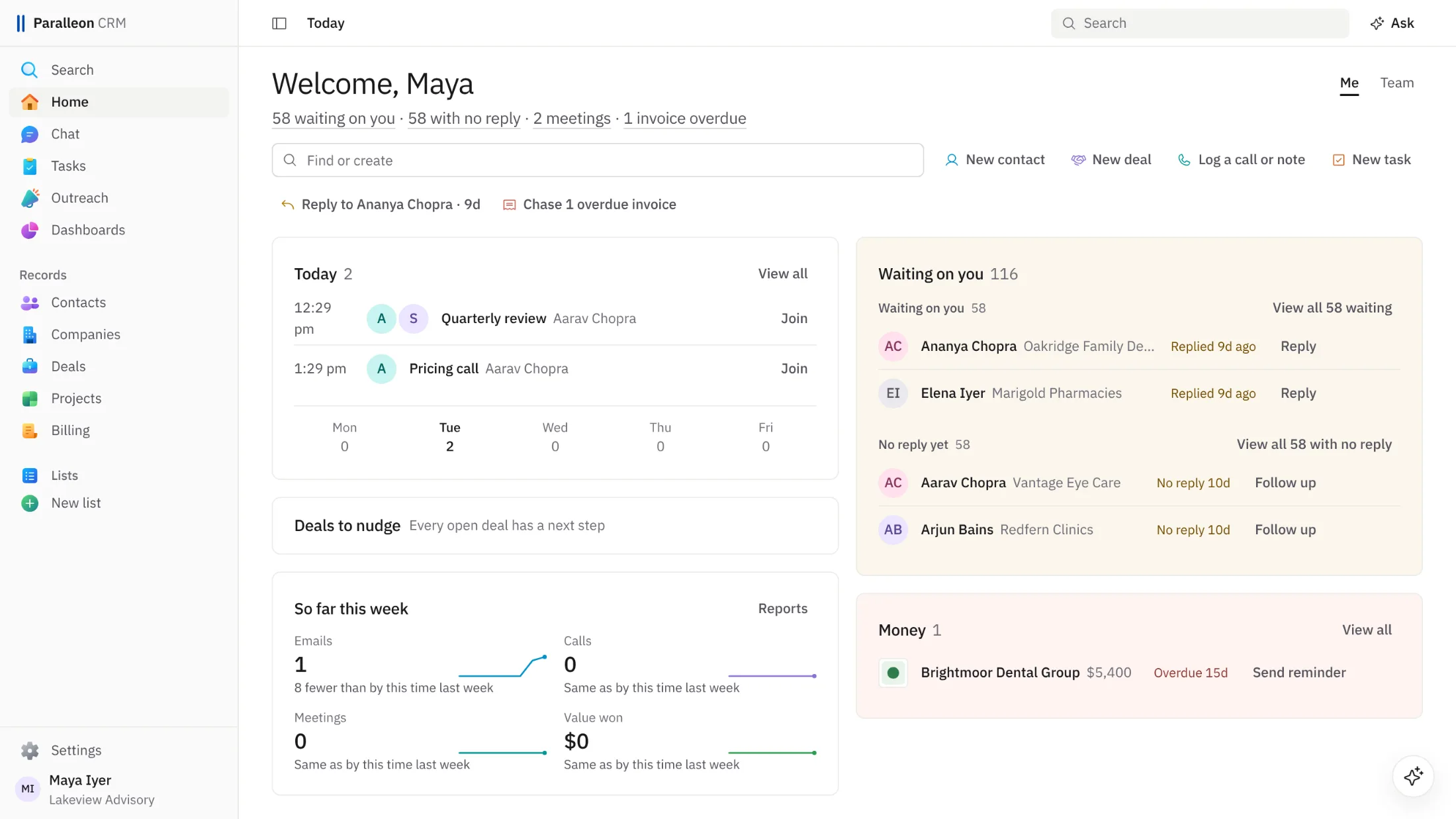
What it does
Six parts of the app, as they look today.
Today
One page each morning: today's meetings and tasks, the people waiting on a reply, your own emails with no answer yet, deals that have gone quiet, and invoices coming due.
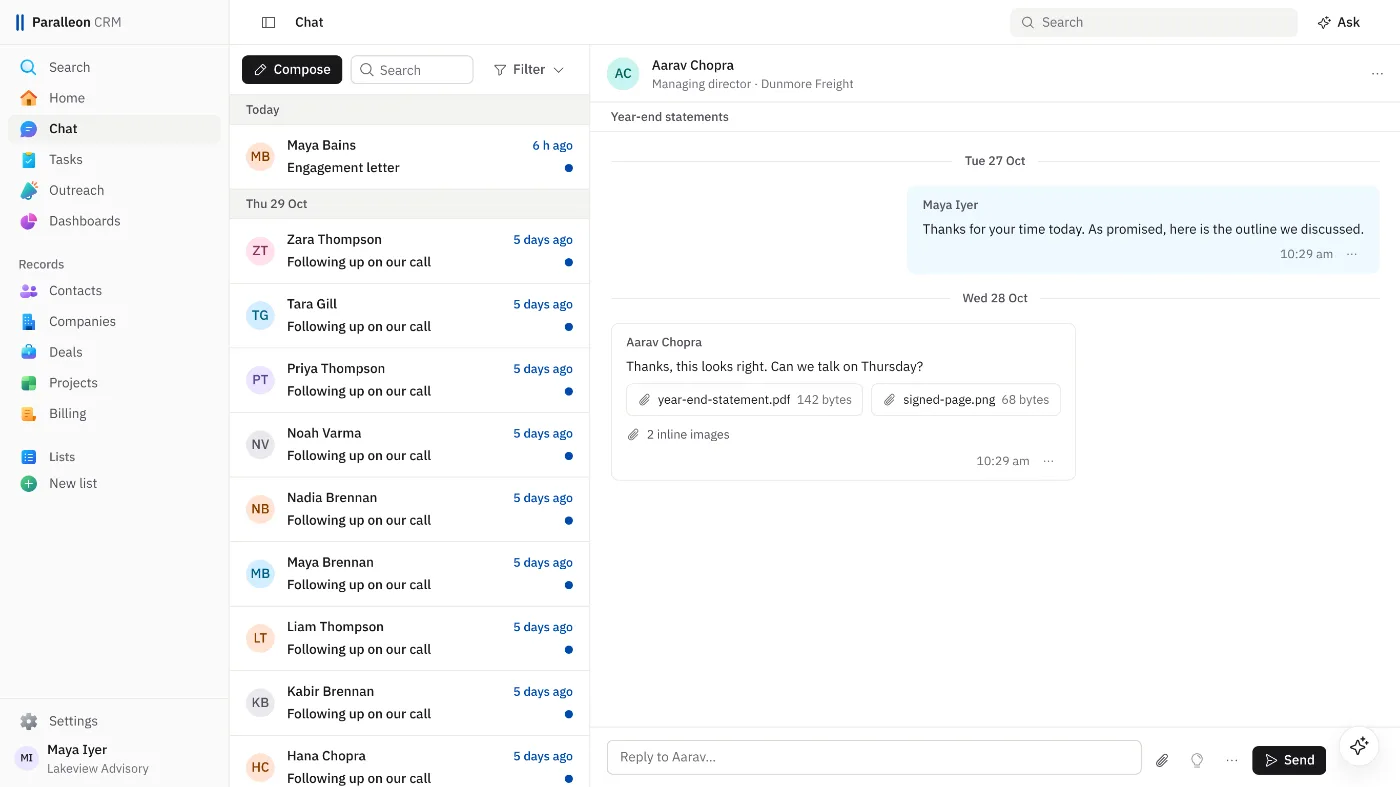
Email and calendar inside the CRM
Chat shows every email with your contacts as a conversation, in order, with its attachments, and you reply from it. Waiting on you lists who wrote and hasn't heard back. Meetings come from your calendar.
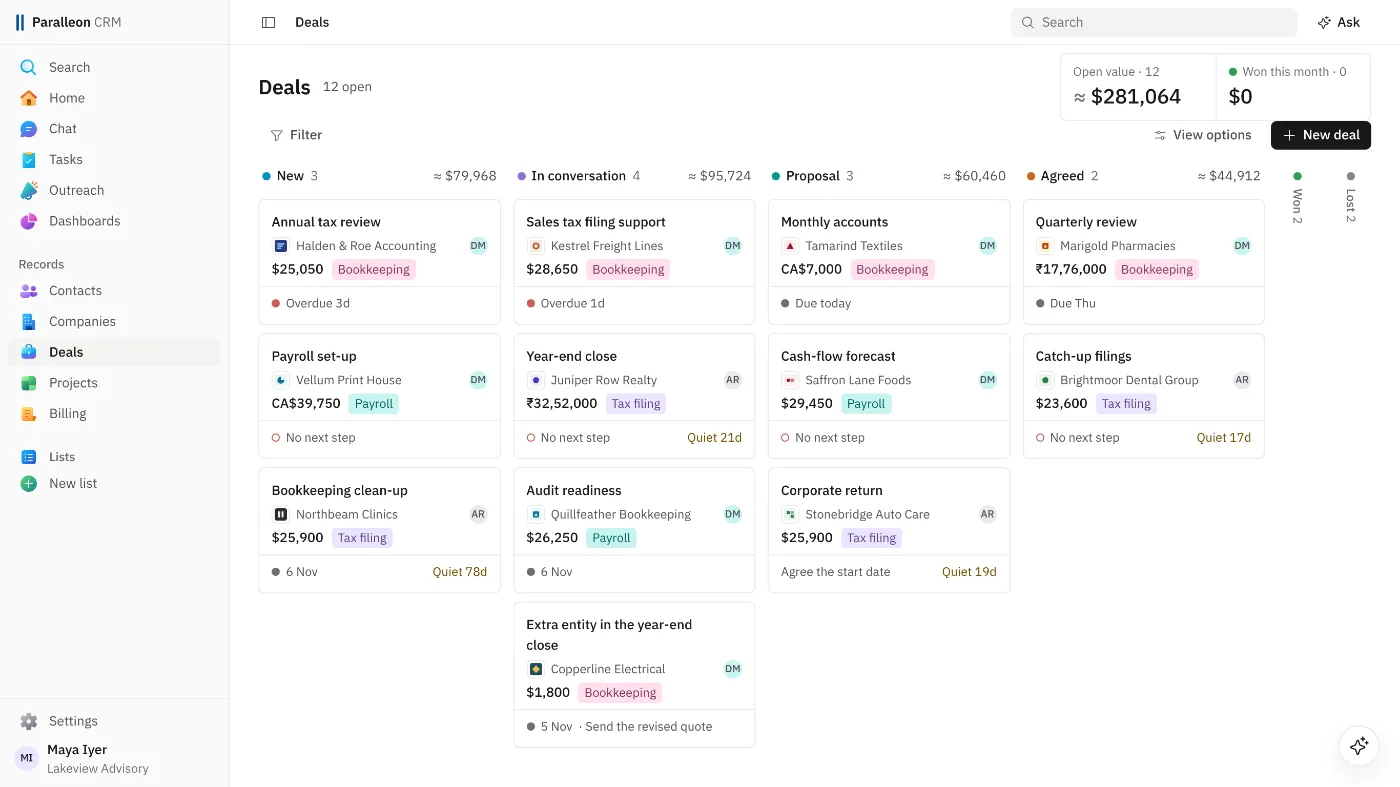
Deals and projects boards
Move deals through your own stages and won work into delivery. Each card shows its next step, and a deal that has sat too long says so.
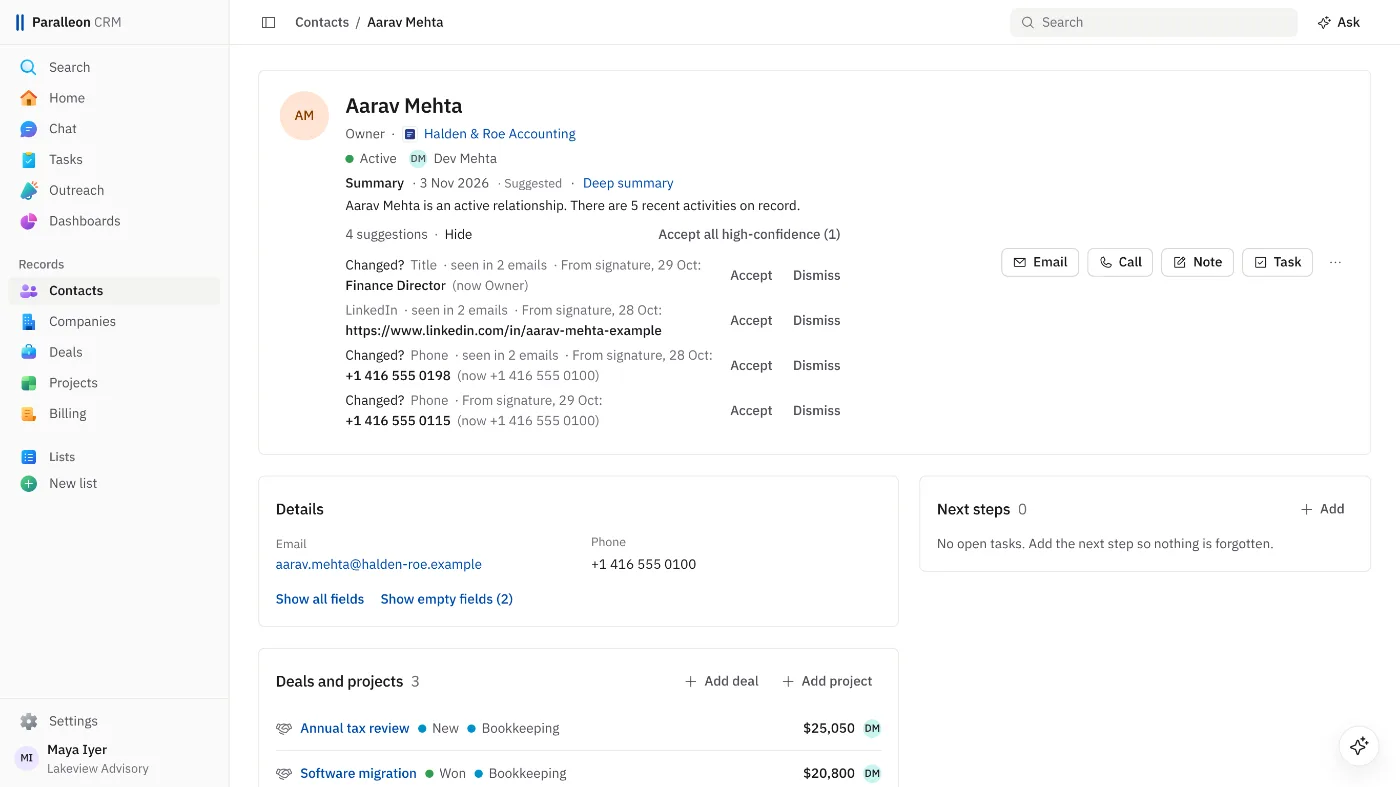
Contact details read from signatures
Job titles, phone numbers and websites are read from the signatures in your contacts' emails, by fixed rules, and offered as suggestions. Nothing changes until you accept one.
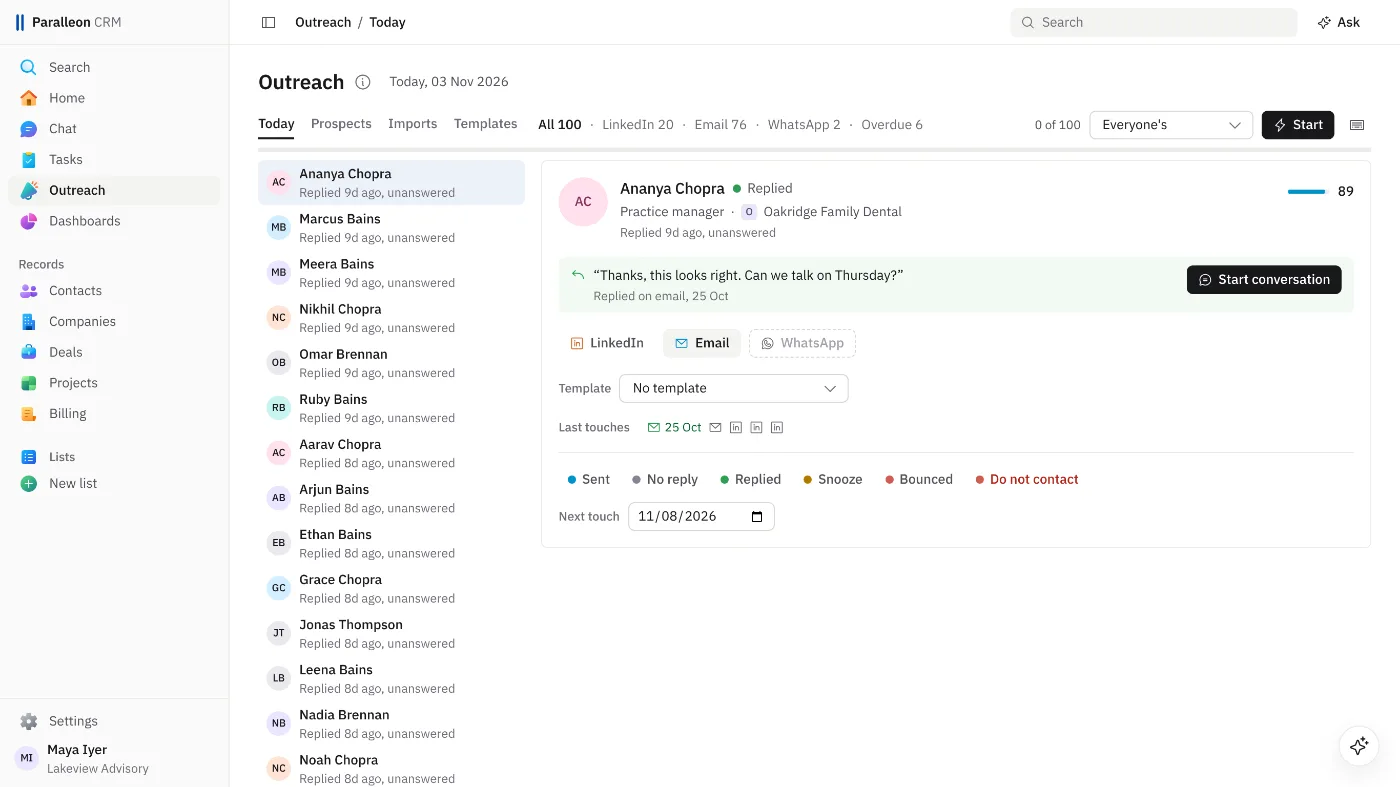
The Outreach queue and prospects
Import a list of prospects, then work through one queue a day: who to contact next and why, a daily limit, and each outcome logged with one key. You make every touch yourself.
Dashboards and the map
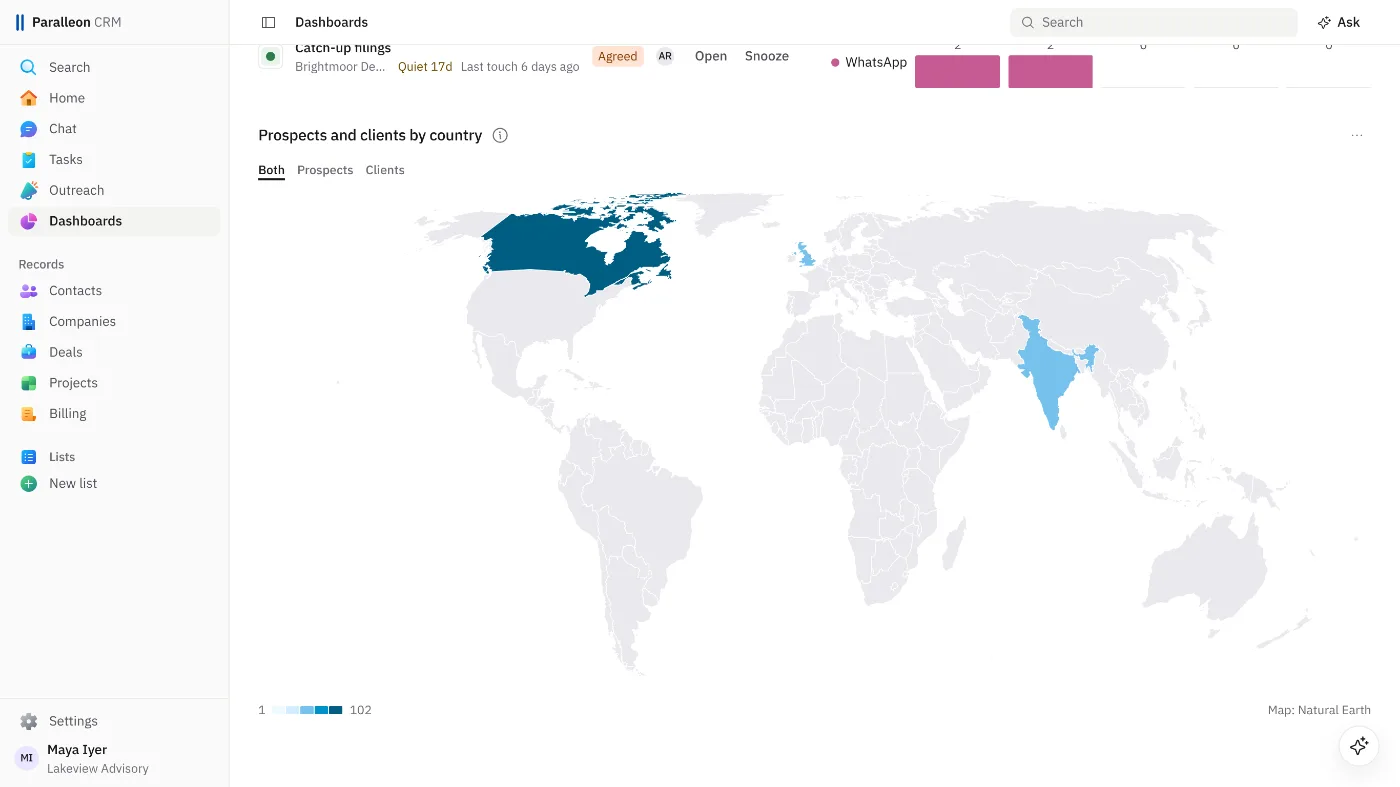
Pipeline by stage, value won against your target, the deals that need attention, and a map of where your clients and prospects are.
Works with Gmail and Microsoft 365
- Connect your mailbox and calendar from Gmail or Microsoft 365. Each person connects their own.
- Only email with people in your CRM is kept: your contacts and your prospects. Mail with anyone else is skipped, not stored.
- Reading Gmail is in early access while Google reviews it. Sending from Gmail and your calendar work as soon as you connect.
- Nothing is ever sent on its own: every email waits for you to read it over and press Send.
AI, plainly
- Overnight, a short summary of each record with recent activity. When you ask, a reply draft or a deeper summary. When you open it, the assistant.
- Every plan has a monthly allowance per person, so the cost never runs away.
- Your data is not used to train AI models. The AI provider's commercial terms forbid it.
Security and privacy
- Each workspace is walled off from every other: a record from another workspace answers as if it doesn't exist.
- Encrypted in transit and at rest, with mailbox access tokens under a key of their own.
- Your records are backed up every night.
- No ads, no selling of your data, no training AI models on it.
Pricing
Three plans, priced per person per month, each with a 14-day free trial.
Questions
How does the free trial work?
You get 14 days free. You add a card when you sign up, and the first charge comes on day 15 unless you cancel before then.
Can I cancel?
Yes, from Settings, at any time. Cancel during the trial and you pay nothing. A paid plan stays usable to the end of the period you paid for.
Can I take my data with me?
Yes. Your records can be downloaded as spreadsheet files (CSV) whenever you like, and they are yours.
Where is my data stored?
In a database in Tokyo, run by Supabase, with the app on Cloudflare's network. The Sub-processors page lists every company involved and what each one does.
What does it ask of my Google or Microsoft account?
Only what a feature needs, when you switch it on: sending, your calendar, or reading mail. Google or Microsoft shows you the exact permissions first, and you can disconnect at any time.
How is AI used?
For a short summary of each record, written overnight, a reply draft when you ask for one, and the assistant when you open it. Every plan has a monthly allowance per person. Your data is not used to train AI models.
How do seats work?
You pay for each person in your workspace. An invitation counts once it is accepted.
Will I get invoices?
Yes, one for every payment. No tax is added to the price at present.
Who is it for?
Small service firms: accounting practices, agencies and consultancies, where a few people look after many clients by email.